
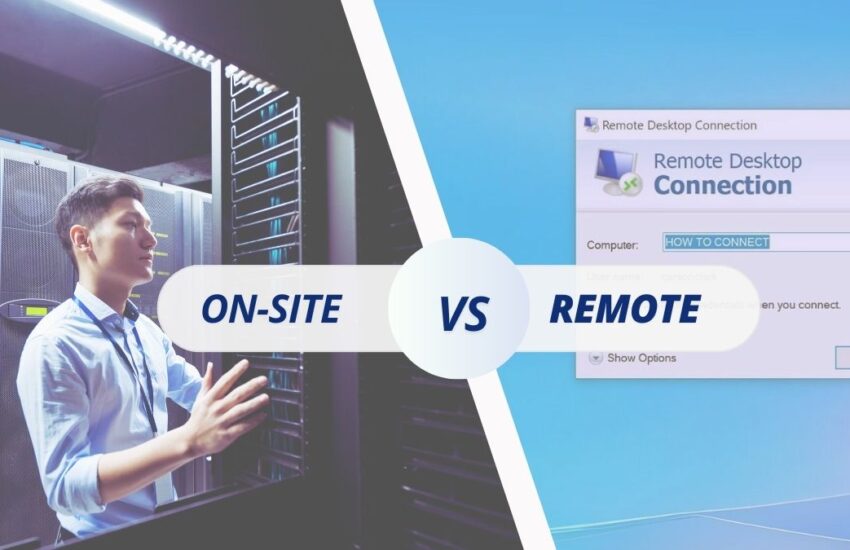
No business today can function without reliable technology. Whether it’s keeping your network secure, ensuring your computers run smoothly, or solving sudden software problems, IT support is at the heart of everyday operations. But when issues do arise, the question becomes: what type of IT support is the best fit for your business? That’s where the debate of on-site vs Remote IT support comes in.
Some companies prefer having technicians physically present to handle challenges face-to-face. This traditional model, known as On-site IT support or On-site computer repair, offers peace of mind when dealing with complex or hardware-related problems. Others lean toward the flexibility of Remote IT support, where experts can step in quickly over the phone, through live chat, or by remotely connecting to your system.
Both approaches come with their strengths and weaknesses. Choosing between them isn’t always a simple yes or no. Instead, it’s about understanding your business needs, the types of issues you encounter most frequently, and the level of flexibility your IT setup requires. In this guide, we’ll walk through both On-site and Remote IT support in detail, breaking down their pros, cons, and practical uses so you can make an informed decision that keeps your business running smoothly.
What Is On-site IT Support?
On-site IT support is exactly what it sounds like: technicians physically come to your location to diagnose, repair, and maintain your systems. Think of it as having a trusted mechanic, but for your computers and network infrastructure.
Businesses typically turn to On-site IT support when they’re dealing with issues that simply can’t be resolved remotely. For example:
- A server has physically crashed and needs repairs.
- Your office is setting up a new network that requires hands-on configuration.
- Hardware like desktops, laptops, or printers needs replacement or upgrades.
- Security systems or firewalls need physical installation and testing.
In these cases, having a professional on the ground ensures that problems are fixed properly and efficiently. On-site computer repair is especially valuable for small to mid-sized businesses that don’t have full-time IT staff on payroll but still need reliable support when something goes wrong.
Pros and Cons of On-site IT Support
Pros of On-site IT Support
- Hands-On Problem Solving
Some issues are too complex for a Remote technician to handle. When a technician is physically present, they can troubleshoot hardware, run diagnostics, and provide immediate solutions. - Personalized Training and Support
On-site IT staff can interact directly with employees, offering one-on-one help and training. This personal approach builds confidence and improves technology adoption across the business. - Building Stronger Relationships
Regular visits from IT professionals allow businesses to build trust and a deeper relationship with their service provider. Over time, technicians understand the specific setup and challenges of your business. - Faster Resolution for Hardware Issues
When servers, desktops, or laptops physically break, nothing beats On-site computer repair. You don’t have to ship hardware out or wait for replacements.
Cons of On-site IT Support
- Higher Costs
Travel expenses, labor charges, and scheduling overhead often make On-site support more expensive than Remote options. - Potential Delays
Unlike Remote IT support, which can respond instantly, On-site visits take time to schedule and coordinate. This can result in downtime if you’re waiting for someone to arrive. - Limited Reach
For businesses spread across multiple locations, sending technicians everywhere can be inefficient and costly. Remote solutions often scale better in such cases.
What Is Remote IT Support?
Remote IT support allows technicians to resolve problems without being physically present. Instead, they connect through the internet, phone, or specialized software to troubleshoot issues from anywhere in the world.
This type of support has grown rapidly, especially as businesses rely more on cloud-based systems and distributed teams. With Remote IT support, common issues like software bugs, email configuration, or security updates can be resolved in minutes.
Typical Remote support scenarios include:
- Resetting passwords or managing user accounts.
- Installing or updating software applications.
- Running antivirus scans and patching vulnerabilities.
- Providing quick training or troubleshooting over the phone.
- Monitoring system performance proactively.
Remote IT support offers speed and convenience, which is why it has become the go-to option for many businesses.
Pros and Cons of Remote IT Support
Pros of Remote IT Support
- Reduced Costs
Without travel and physical labor, Remote support tends to be more affordable than On-site services. - Rapid Response Times
Technicians can log in and address problems almost instantly, minimizing downtime. - Improved Productivity
Employees don’t have to wait around for a technician to show up. Issues can often be solved while they continue working on other tasks. - Flexibility and Scalability
Remote support works well for businesses with multiple offices, Remote employees, or hybrid work setups. It scales without requiring more physical presence.
Cons of Remote IT Support
- Limited to Non-Hardware Issues
If your laptop won’t power on or a server physically malfunctions, a Remote technician can’t fix that. - Possible Miscommunication
Some problems are harder to explain over the phone or chat. This can lead to back-and-forth conversations that slow down resolution. - Not Always Suitable
Highly specialized hardware setups or network installations still require someone on-site to handle the physical aspects.
On-site Computer Repair vs Remote IT Support in Real Scenarios
To better understand the difference, let’s look at a few real-world scenarios where On-site and Remote support are applied:
1. Hardware Crash
If a server fails or a desktop refuses to boot, you’ll need On-site computer repair to physically diagnose and replace components. Remote support can’t fix a broken hard drive.
2. Software Troubleshooting
When an application freezes or an employee can’t connect to email, Remote IT support is often the quickest solution. Technicians can log in and resolve issues in real time.
3. Network Installation
Setting up new routers, switches, or firewalls is usually an On-site IT support task. It requires physical handling, wiring, and testing.
4. Security Updates
Rolling out system updates or applying security patches can almost always be handled via Remote IT support, saving time and resources.
5. Hybrid Approach
Many businesses find the most efficient model is a mix of both. Routine tasks and monitoring are handled remotely, while critical hardware issues get On-site attention.
How to Decide What Works Best for Your Business
The choice between On-site vs Remote IT support isn’t always black and white. Instead, it comes down to your specific needs and resources.
Here are some key factors to consider:
- Nature of Your IT Needs
- Heavy reliance on servers, printers, or specialized equipment? You’ll likely need On-site computer repair.
- Mostly software and cloud-based tools? Remote IT support may cover most of your needs.
- Budget
- On-site tends to be more expensive. Remote support offers cost savings, especially for smaller businesses.
- Geographic Reach
- If your team is spread across different cities or works remotely, Remote IT support scales more easily.
- Urgency and Downtime
- Remote support offers instant response. On-site support requires scheduling, but may be faster for certain hardware issues.
- Security and Compliance
- Industries with strict compliance rules (like healthcare or finance) may require more On-site presence for sensitive systems.
The Future of IT Support
Technology isn’t standing still, and neither is IT support. The future will likely continue blending On-site and Remote solutions. Hybrid IT support models are becoming the norm, giving businesses the best of both worlds.
Emerging trends include:
- AI-driven Remote diagnostics that predict and fix issues before they cause downtime.
- Proactive monitoring that ensures networks run smoothly without waiting for a problem to occur.
- Smarter On-site support where technicians focus on critical installations, upgrades, and security.
Businesses that embrace flexibility and understand when to use each type of support will be better prepared to handle the demands of modern technology.
Conclusion
At the end of the day, there isn’t a one size fits all answer to the On-site vs Remote IT support debate. On-site IT support, including traditional On-site computer repair, is invaluable when dealing with hardware or physical infrastructure. Remote IT support, on the other hand, excels in speed, cost-effectiveness, and scalability.
The smartest approach for most businesses is to evaluate their unique needs, budget, and long-term goals. For many, a combination of both is the key, using Remote support for everyday issues and On-site support for hardware or critical system needs.
Technology is the backbone of modern business. Choosing the right support model ensures your systems stay reliable, your employees stay productive, and your business stays competitive.
Frequently Asked Questions
On-site IT support involves a technician visiting your location to fix issues in person, while Remote IT support allows technicians to resolve problems online or over the phone.
On-site IT support is best for hardware repairs, network installations, or any issue that requires a physical presence.
Remote IT support is cost-effective, fast, and scalable. It works especially well for software troubleshooting, updates, and helping Remote teams.
No. Hardware problems like a broken hard drive, faulty server, or physical network setup need On-site computer repair.
Yes. On-site support often costs more due to travel time, labor, and scheduling, while Remote support eliminates these overheads.
On-site computer repair refers to technicians physically visiting your business to diagnose and fix hardware issues with desktops, laptops, or servers.
Absolutely. Many businesses use a hybrid model, relying on Remote support for everyday issues and On-site support for hardware or complex needs.
Remote IT support is usually faster since technicians can connect instantly. On-site support takes longer because it requires scheduling and travel.
Small businesses with tight budgets often benefit from Remote IT support, but they may still need On-site help for critical hardware repairs.
Consider your IT needs, budget, hardware reliance, and whether your team is local or distributed. Many businesses find a combination of both works best.
